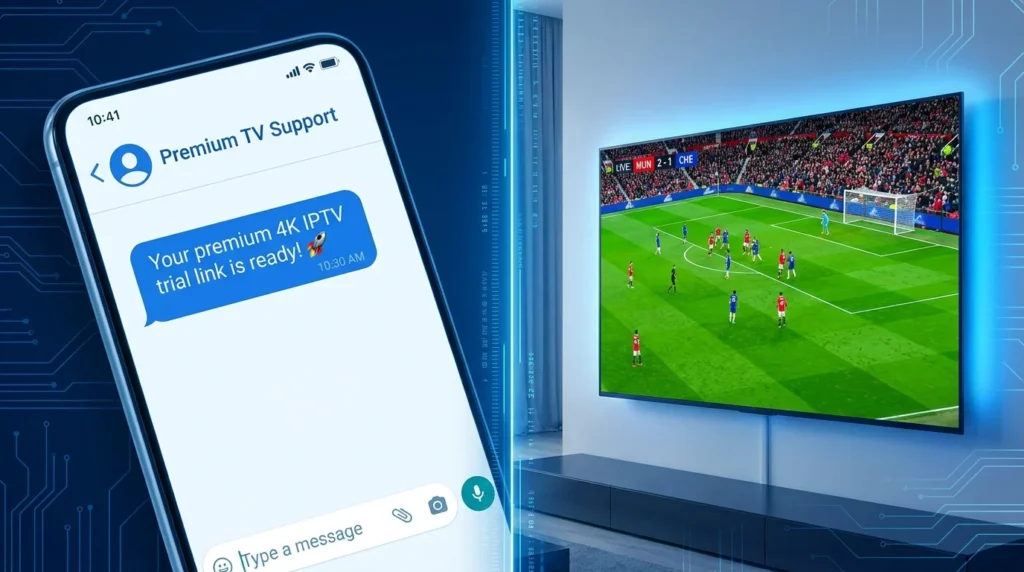
As more households transition away from expensive cable contracts, internet-based television has become the standard for home entertainment. However, having a good streaming subscription is only half the battle—you need reliable software to play it. This is where IPTV Smarters (often branded as IPTV Smarters Pro) comes in.
Widely considered one of the most versatile media players on the market, the application provides a clean, cable-like interface for managing live TV, movies, and series.
It is important to note that IPTV Smarters is strictly a media player. It does not provide any content on its own. To use the application, you must already have an active subscription with a streaming service provider.
This comprehensive guide covers everything you need to know about the app, from basic setup instructions to advanced features and common troubleshooting fixes.
Table of Contents IPTV Smarters
Why IPTV Smarters is the Industry Standard
The application dominates the streaming landscape because it effectively bridges the gap between complex streaming protocols and a user-friendly interface. Here is why it remains a top choice for cord-cutters in 2026:
- Universal Device Compatibility: The app is designed to run on almost any platform, including Android smartphones, Apple iOS, Windows PCs, Amazon Firesticks, and most modern Smart TVs (Samsung, LG, Android TV).
- Electronic Program Guide (EPG): It natively supports EPG integration, providing a traditional, grid-style TV guide so you can see current and upcoming broadcasts.
- Multi-Screen Viewing: On supported devices, you can split your screen to watch up to four different live channels simultaneously—ideal for tracking multiple live sports events.
- Catch-Up TV: If your service provider supports it, the app allows you to watch shows and events that aired in the past few days without needing to set a recording.
- Parental Controls: Users can easily lock specific channels or VOD (Video on Demand) categories using a master PIN code.
- Contact our direct sales and support agents on WhatsApp at +44 7853 146902 to safely purchase your line, receive your credentials, and start watching in minutes!
How to Set Up IPTV Smarters
Setting up the application is a straightforward process, provided you have your subscription credentials ready. The most reliable way to connect is using the Xtream Codes API method, as it loads faster and automatically organizes your content into distinct categories.
1.Download the Application:Available on most official app stores.
Search for “IPTV Smarters Pro” or “Smarters Player Lite” in your device’s app store and install it. If you are using an Amazon Firestick, you may need to use the “Downloader” app to sideload the APK file.
2.Select Your Login Method:
Open the app and accept the terms of service. When prompted, select Login with Xtream Codes API. (Avoid the M3U option unless your provider specifically requires it).
3.Enter Your Credentials:Double-check for typos.
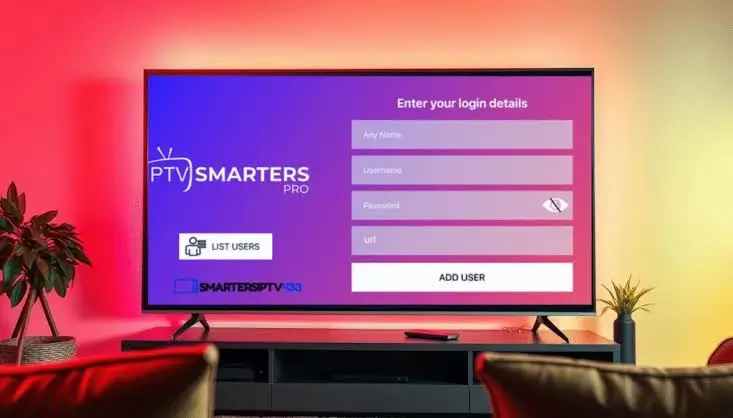
You will see four blank fields. Fill them out exactly as provided by your streaming service:
- Any Name: Type a nickname for your playlist (e.g., “Living Room TV”).
- Username: Enter your assigned username.
- Password: Enter your assigned password.
- URL: Enter the server portal URL (e.g.,
[http://server-address.com:8080](http://server-address.com:8080)).
4.Add User and Synchronize:
Click Add User. The app will take a few moments to download and organize your Live TV, Movies, Series, and EPG data. Once it finishes loading, click on your profile to start watching.
Connection Methods: Xtream Codes vs. M3U
When you sign up for a streaming service, providers usually offer two ways to connect your playlist to the app. Here is a comparison of how they function:
| Feature | Xtream Codes API (Recommended) | M3U Playlist URL |
| Setup Process | Enter a Username, Password, and short URL | Paste a single, very long web link |
| Organization | Automatically sorts into Live TV, Movies, and Series folders | Often loads as one massive, disorganized list |
| EPG Support | Native and automatic | Usually requires a second, separate EPG link |
| Loading Speed | Very fast; queries categories on demand | Slower; must download the entire text file at once |
Always request an Xtream Codes API login from your provider. It drastically improves the performance and visual layout of the interface.
Common Troubleshooting: Fixing Buffering and EPG Errors
Even with a premium service, local network issues can cause the app to stutter or fail to load data. If you experience issues, try these standard troubleshooting steps:
Contact our direct sales and support agents on WhatsApp at +44 7853 146902 to safely purchase your line, receive your credentials, and start watching in minutes!
The Stream is Buffering
Buffering is usually a network issue rather than an app issue.
- Hardwire Your Connection: Wi-Fi signals degrade through walls. Connect your streaming device directly to your router using an Ethernet cable.
- Check Internet Speed: Streaming live 4K video requires a stable connection of at least 25 to 50 Mbps.
- Clear App Cache: Go to your device’s settings, locate the IPTV Smarters app, and select “Clear Cache” to free up processing memory.
- Contact our direct sales and support agents on WhatsApp at +44 7853 146902 to safely purchase your line, receive your credentials, and start watching in minutes!
The TV Guide (EPG) is Blank
If your channels are working but the guide is empty, the app may have failed to sync with the server.
- Go to the main dashboard of the app.
- Click on the Install EPG or Refresh EPG button.
- Wait a few moments for the data to download. If it still fails, contact your service provider, as their EPG server may be temporarily down.
Conclusion
Finding the right software is just as important as finding a reliable streaming provider. With its robust feature set, multi-screen capabilities, and clean user interface, IPTV Smarters remains an essential tool for managing internet-based television in 2026.
By understanding the setup process and utilizing the Xtream Codes API, you can transform almost any smart device into a powerful home entertainment hub.
Contact our direct sales and support agents on WhatsApp at +44 7853 146902 to safely purchase your line, receive your credentials, and start watching in minutes!