
Looking for an iptv encoder box that’s both affordable and effective? This guide is for you. An iptv encoder box turns camera or video signals into IP streams. These streams are sent to CDNs, OTT platforms, or private IPTV networks for live and on-demand viewing.
This article is for US buyers, including small broadcasters and educational institutions. It helps you find a reliable, affordable iptv encoder box. You’ll learn what to look for, what 2026 models offer, and how to buy without spending too much.
You’re ready to buy an iptv encoder box that fits your streaming needs. Use the sections below to compare features, review top picks, and follow setup steps. For direct sales, technical assistance, or reseller details, call +44 785314 6902.
Table of Contents
Why Choose an Affordable IPTV Encoder Box for Your Streaming Needs
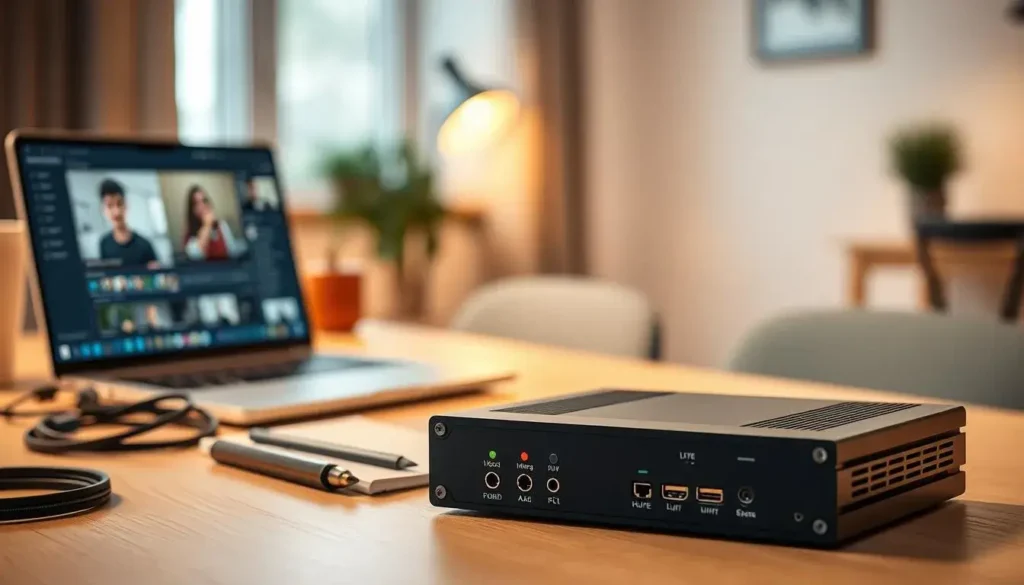
Choosing the right encoder is key for your stream quality and budget. An affordable iptv encoder box offers reliable H.264 or H.265 encoding with low latency. Brands like AVerMedia, Blackmagic Design, Teradek, Magewell, and ZCam offer options that fit common US workflows.
Cost vs. performance: what to expect from budget encoder boxes
Budget units usually deliver solid 720p–1080p60 streams. Some may support limited 4K at lower frame rates. These devices often sacrifice advanced features for a lower price.
They might have fewer inputs, basic web GUIs, and less onboard multi-bitrate transcoding. Onboard processing limits mean you can’t run many encodes or heavy transcodes at once. Warranty and support are also smaller than pro broadcast gear. Yet, the core encode quality meets YouTube Live, Twitch, and CDN delivery needs.
How an affordable encoder box can reduce your total streaming setup cost
An affordable iptv encoder box cuts both hardware and operational costs. It offloads encoding from a PC, saving on CPU and GPU needs. This reduces power use, saves rack space, and simplifies cabling.
Streaming directly to HLS or RTMP endpoints on Akamai, Amazon CloudFront, or Wowza can cut cloud encoding fees. This lowers recurring costs. Your total cost includes firmware updates, spare parts, and support. Compare these costs to potential savings to judge ROI.
Typical use cases for US users: live events, small broadcasters, houses of worship
Live events and sports often use a top iptv encoder box for single-camera or small multicamera setups. Teams pair a simple encoder with hardware switchers to send feeds to YouTube or a CDN.
Small broadcasters and start-ups use an iptv encoder box for streaming to cloud playout or OTT stacks with basic DRM. This allows fast ingestion without heavy onsite compute.
Houses of worship, schools, and corporate communications benefit from a high-quality iptv encoder box for single-HD streams. These organizations have limited technical staff and need dependable, easy-to-manage devices.
Match your use case to features: decide between single-channel and multi-channel needs, required resolution and bitrate, acceptable latency, and the support level you expect from the manufacturer.
iptv encoder box: Features to Look For in 2026 Models
When picking an iptv encoder box, match its features to your needs. You need reliable codecs, flexible inputs, and strong network options. This keeps your streams stable during big events. Here are the key areas to check when shopping for the best iptv encoder box for your setup.
Video codecs, resolutions, and bitrate control
Make sure it supports H.264/AVC and H.265/HEVC for compatibility and compression. AV1 support is good for future-proofing, but check CPU or GPU limits first.
Check the max resolution per channel. Single-channel boxes might handle 4K30, while multi-channel ones might cap at 1080p60 per stream. Know the simultaneous encoding limits before buying.
Look for CBR, VBR, and ABR bitrate control options. Onboard multi-bitrate packaging and SRT or RTMP support help deliver streams to CDNs and adaptive players with consistent quality.
Network connectivity: ethernet, Wi-Fi, and dual NIC options
Choose Gigabit Ethernet with bonding, VLAN tagging, QoS, and IGMP for managed networks. These features reduce packet loss and improve multicast handling in venues.
If wireless is needed, go for dual-band 802.11ac/ax models to avoid dropouts. Dual NICs or SFP ports for fiber are great for pro deployments for redundancy or separate control and data paths.
Protocol support is key. Ensure it handles RTMP/RTMPS, HLS, MPEG-DASH, SRT, RIST, and RTSP. SRT and RIST are good for stable transmission over unstable links.
Input options: HDMI, SDI, composite and multiple-channel support
HDMI is common for consumer cameras and capture devices. Check HDCP handling if needed for protected content. SDI with loop-out is better for pro cameras for longer runs and local monitoring.
Legacy sources need composite or analog inputs. Use them for budget gear, but expect lower resolution and more noise than digital feeds.
Multi-channel encoders are better for multi-camera venues. Make sure the unit can encode all channels at the claimed resolution and bitrate simultaneously.
Manageability: remote configuration, web GUIs, and API integration
A clear web GUI makes setup easy for operators without CLI skills. Look for HTTPS access and role-based controls for security.
Remote configuration via SSH, SNMP, or vendor cloud platforms is crucial for unattended sites. Check firmware update methods and logging for troubleshooting.
APIs and SDKs let you automate workflows with OBS, vMix, or AWS Media Services. If you run scheduled broadcasts, RESTful APIs enable provisioning, monitoring, and custom integrations.
Security is important. Demand TLS for endpoints, strong password policies, and access controls. This keeps your streams and management plane secure when using a high-quality iptv encoder box.
Top affordable iptv encoder box options and reviews
When setting up a streaming system, you need clear options. This guide shows you the best hardware at different prices. You can read reviews and choose the right model for your project.
Best budget picks for single-channel streaming
The Magewell Ultra Stream HDMI is small and easy to use. It works with H.264 and connects to YouTube or RTMP. AVerMedia Live Streamer units are great for single-camera shoots and quick setups.
Teradek Vidiu Go is a portable, battery-ready option for field crews. These are good choices for affordable iptv encoder boxes for small projects.
High-quality recommendations for multi-channel setups
For multi-channel setups, consider Teradek Cube series or Vidiu Pro. They support SRT and scalable workflows. Haivision and Hikvision offer industrial-grade encoders for continuous use.
Blackmagic Design hardware is good for hybrid workflows. Pair it with small server encoders or explore AWS Elemental appliances for 4K deployments. These are top picks for larger feeds.
Choices focused on reliability and uptime
Haivision Makito X series and Brickstreams are for enterprise customers. They offer redundancy and support SLAs. Teradek Serv models with dual power supplies are also reliable for 24/7 operations.
Brands like Blackmagic Design, Haivision, and Teradek update firmware regularly. They also have dependable technical channels, which is key for uptime.
Where to buy in the United States
Buy iptv encoder boxes from pro AV retailers like B&H Photo Video and Adorama Pro Audio. Check Sweetwater listings for compatibility. Manufacturer storefronts and authorized dealers keep warranties and support intact.
Amazon and B&H are convenient, but check seller authenticity and warranty terms. For refurbished gear, use certified resellers to reduce risk.
Buyer tips
Compare warranty length, return policy, firmware update cadence, and technical support before buying. For critical installs, consider extended support or SLAs. Read reviews to balance price and features when choosing an affordable or top iptv encoder box.
How to choose and set up your affordable iptv encoder box for streaming
First, figure out what you need. Make sure your cameras and switchers fit the encoder’s inputs. Choose between single or multi-channel models and decide on the resolution, like 1080p or 4K.
Look at the encoder box’s features. Check if it supports codecs like H.264 or H.265. Also, see if it supports protocols such as RTMP, SRT, or HLS.
Think about how many viewers you expect and the bandwidth needed. For 1080p H.264 streams, plan for 5–8 Mbps per stream. If you have more viewers or need multiple bitrates, make sure your CDN and links can handle it. Consider power options like AC, PoE, or battery for outdoor use.
Checklist before you buy: compatibility, intended audience, and bandwidth
Check the input types: HDMI or SDI, sample rates, and audio embedding needs. Make sure it works with platforms like YouTube, Facebook, Vimeo, or an OTT provider.
Look at the vendor’s support, warranty, and firmware update policy. Choose a high-quality encoder box for reliability and support, especially for events.
Step-by-step setup: physical connections, firmware updates, and initial tests
Connect your video sources to the encoder’s HDMI or SDI inputs. Embed separate audio when needed. Use wired Ethernet for stability and set QoS on your network for streaming.
Update the firmware before streaming to get the latest fixes and codec improvements. Set up your network settings with a static IP or DHCP and test your connection to your CDN.
Do local captures and a private test stream. Watch CPU, temperature, packet loss, and dropped frames. Make sure it plays well on phones, desktops, and smart TVs during the test.
Optimizing stream quality: bitrate settings, resolution, and latency trade-offs
Set bitrate targets based on resolution and codec. For 1080p H.264, aim for 5–8 Mbps. For H.265, 3–5 Mbps, and for 4K, 15–25 Mbps, depending on scene motion. Match bitrate to your audience’s bandwidth.
Use a 2-second keyframe interval for broad platform support. Choose CBR for predictable networks and VBR for constrained links that rely on adaptive CDN behavior. Select SRT or RIST for low-latency, resilient transport.
Ongoing maintenance and troubleshooting tips
Schedule regular firmware updates during maintenance windows. Use SNMP or vendor dashboards to monitor temperature, CPU load, and packet errors.
If you see dropped frames, check cable quality, network packet loss, and encoder CPU usage. Lower bitrate or resolution as a temporary fix. Keep a spare encoder and document rollback steps for firmware issues.
Follow this checklist and setup flow to complete a reliable iptv encoder box setup that matches your audience and budget while preserving stream quality and uptime.
Conclusion
Looking for an affordable iptv encoder box in the US? Start by matching its features to your needs. Check the codecs, inputs, and network protocols. This ensures it works well with your setup.
If you’re streaming one channel, look for easy setup. Also, read iptv encoder box reviews to see if it’s reliable.
Make sure it has the right inputs like HDMI or SDI. It should also support protocols like SRT, HLS, and RTMP. Good vendor support is key, especially for critical tasks.
For top-notch options, consider Teradek, Haivision, and Blackmagic. They’re great for multi-channel or 24/7 streaming. For a quick, affordable choice, Magewell or AVerMedia are good options.
Buy from authorized US retailers or directly from the manufacturer. This keeps your warranty and support intact. For help or questions, call +44 785314 6902.
Choose a solution that fits your current needs but also grows with you. Modular encoders and API-enabled appliances are great for scaling up.
FAQ
What is an IPTV encoder box and why do you need one?
An IPTV encoder box is a device that changes camera or video signals into IP streams. It uses codecs like H.264/AVC and H.265/HEVC. You need it to send live or on-demand video to places like CDNs, OTT platforms, or private IPTV networks. It makes streaming reliable and takes the load off a PC or server.
Which affordable IPTV encoder box is best for single‑camera streaming?
For cheap single-channel streaming, look at the Magewell Ultra Stream HDMI or AVerMedia Live Streamer series. They have simple web interfaces, H.264 encoding, and can send video directly to YouTube, Twitch, or your CDN. They’re great for houses of worship, educators, and solo producers.
What features should you prioritize when buying a cheap IPTV encoder box in 2026?
Look for codec support (H.264 and H.265 at least), max resolution (1080p60 or 4K30/60 if needed), and network options (Gigabit Ethernet, SRT/RTMP/HLS support). Also, check input types (HDMI/SDI). Make sure it has a web GUI, remote updates, and bitrate control (CBR/VBR/ABR). Don’t forget about vendor support and warranty.
Can affordable encoder boxes handle multi‑channel streaming?
Basic affordable boxes are usually for single-channel use. For multi-channel encoding, mid-range vendors like Magewell, Teradek, and Haivision offer options. But, prices go up. Make sure each channel can stream at full resolution at the same time.
Should you choose H.264, H.265, or AV1 on a budget encoder?
H.264 is the most compatible. H.265 improves compression and reduces bandwidth for better quality, especially in 4K. AV1 is future-proof but might be rare and require more processing. Choose based on your CDN/player compatibility and bandwidth needs.
How do network features affect streaming reliability on an affordable IPTV encoder box?
Look for Gigabit Ethernet with QoS, VLANs, and optional dual NIC or SFP for redundancy. Support for SRT/RIST for resilient transport and RTMP/HLS for CDN delivery is key. Wi-Fi is less reliable, so choose dual-band 802.11ac/ax if wireless is needed.
What bitrate and resolution should you use for 1080p streaming?
Aim for 5–8 Mbps for quality 1080p H.264. H.265 can achieve similar quality at ~3–5 Mbps. Set keyframe intervals to 2 seconds. Choose CBR for predictable bandwidth or VBR when the CDN supports adaptive delivery.
Where can you buy a trustworthy IPTV encoder box in the US?
Buy from authorized US retailers like B&H Photo Video, Adorama Pro Audio, and select Amazon sellers. For critical gear, buy through authorized resellers to keep warranty and support access.
How do you set up an IPTV encoder box for the first time?
Connect your video source to HDMI/SDI, embed audio if needed, and connect Ethernet (prefer wired). Update firmware, configure network settings, set codec/bitrate/GOP, and test streams before going live.
What maintenance and troubleshooting should you expect?
Update firmware during maintenance windows, monitor device health via SNMP or vendor dashboards, and keep spare cables or a backup encoder. For dropped frames, check cable integrity, network packet loss, and reduce bitrate or resolution if needed.
When should you upgrade from an affordable encoder to a professional appliance?
Upgrade for multi-channel encoding, 24/7 uptime, advanced redundancy, or vendor support contracts. Also, consider professional appliances for extensive transcoding, DRM, or high-volume OTT delivery.
Can affordable IPTV encoder boxes stream directly to CDNs and platforms like YouTube?
Yes. Most affordable boxes support RTMP/RTMPS and HLS for direct streaming to platforms like YouTube, Twitch, Vimeo, and CDNs. Check support for SRT/RIST for resilient transport to a media server or cloud ingress.
How do you estimate bandwidth per stream for planning?
Estimate 5–8 Mbps for quality 1080p H.264, ~3–5 Mbps for equivalent H.265, and 15–25 Mbps for 4K. Multiply by concurrent streams and add headroom for network overhead and other services when planning upstream capacity.
What support contact is available for purchases or technical inquiries?
For direct sales, technical assistance, or reseller information, call +44 785314 6902 for purchase inquiries and support details.
Are refurbished or used IPTV encoder boxes a good way to save money?
Refurbished units can save money but check vendor credibility, warranty coverage, and firmware update availability. Buy from certified resellers or manufacturer refurbishment programs to avoid counterfeit or unsupported units.
Which brands are recommended for a balance of cost and quality?
For affordable, reliable options, consider Magewell and AVerMedia for single-channel use. For higher reliability and multi-channel options, Teradek, Haivision, and Blackmagic Design are strong choices depending on your budget and uptime needs.
