
Choosing the right IPTV encoder is key for streaming quality. It’s important for live sports, corporate events, or video libraries. An IPTV encoder turns audio and video into streams for the internet or networks.
This guide is for those who stream online. It helps you pick the best video encoder for your needs. Whether you’re a broadcaster or an educational institution, this guide is for you.
You’ll learn about comparing different encoders. You’ll see how to choose the right codecs like H.264 and H.265. You’ll also understand the importance of latency, bitrate, and resolution.
It also talks about working with CDNs and media servers. You’ll learn about scalability, redundancy, and the cost of using an encoder.
If you’re ready to talk about your needs, call +44 7853 146902. We can help you find the right encoder.
Table of Contents
Understanding IPTV Encoder Basics and Why It Matters
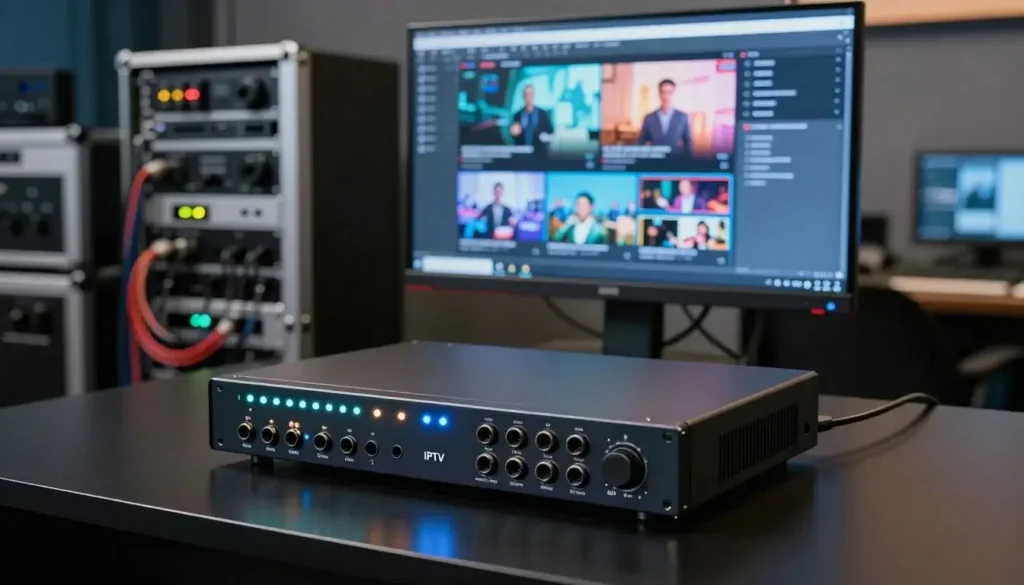
Before choosing hardware or software, you must understand what an encoder does. An IPTV encoder changes camera feeds or set-top inputs into compressed IP streams. It uses codecs and containers like HLS, RTMP, MPEG-DASH, SRT, or RTP. This process includes real-time encoding, packetization, and encryption or DRM insertion.
Many encoders also handle extra tasks to make your workflow easier. A live video encoder can change bitrates, add closed captions, normalize audio, and insert ad markers. These features help deliver streams that adapt to different devices while keeping operations smooth.
Latency is crucial for live events. It’s the delay from capture to playback. For sports and interactive broadcasts, latency should be under a few seconds. HLS can be slow unless you use low-latency HLS or CMAF techniques.
Bitrate and compression efficiency affect both quality and cost. A h.264 encoder balances image quality and bandwidth use well. Choose between constant bit rate (CBR) and variable bit rate (VBR) modes and set max bitrate caps for your distribution targets.
Resolution and frame rate are key for viewer satisfaction. Encoders often support 720p, 1080p, 4K, and up to 60fps for sports. Make sure the encoder supports the required profiles and multi-profile outputs to serve different devices at once.
Delivery reliability depends on error resilience and packet recovery. Look for features like FEC, SRT, or Zixi support to protect streams over lossy public networks. These protocols reduce dropouts and keep streams intact during congestion.
Poor encoding choices can lead to visible artifacts, rebuffering, and lost viewers. An efficient video streaming encoder with adaptive bitrate ladders and robust network protocols reduces startup time and buffering. This improves perceived quality and keeps audiences engaged.
Your encoder selection affects CDN costs and upstream bandwidth. Efficient codecs and smart bitrate ladders cut delivery expenses without sacrificing visual quality. A well-chosen h.264 encoder or modern alternative can save money at scale.
| Aspect | Why it matters | What to check |
|---|---|---|
| Latency | Impacts interactivity and live event timing | End-to-end delay, low-latency HLS, CMAF, sub-second options |
| Bitrate & Compression | Controls quality and bandwidth costs | CBR vs VBR, max bitrate caps, codec efficiency (h.264 encoder) |
| Resolution & Frame Rate | Affects clarity and motion smoothness | Support for 720p/1080p/4K, 30–60fps, multi-profile outputs |
| Error Resilience | Maintains stream integrity on poor networks | FEC, SRT/Zixi support, retransmission and packet recovery |
| Workflow Features | Simplifies operations and monetization | Transcoding, DRM insertion, captioning, SCTE-35 signaling |
| Cost Impact | Drives CDN and bandwidth spend | Codec efficiency (video streaming encoder choice), bitrate strategy |
Comparing Video Streaming Encoder Types and Technologies
Choosing a video streaming encoder means balancing cost, latency, and scalability. This guide helps you pick the right one for your live production needs.
Hardware encoders are special devices from brands like Haivision, AJA, Teradek, and Magewell. They offer steady low latency and reliable performance. They’re perfect for critical live broadcasts and installations where reliability is key.
Software encoders like FFmpeg, OBS Studio, and Harmonic or Telestream’s offerings focus on flexibility. You can update them quickly and scale in cloud environments. They use more CPU and have variable latency. Choose software for agility and budget-friendly options.
Hybrid architectures are also worth considering. Use a field-grade HDMI encoder or capture card for capture. Then, offload transcoding to cloud instances. This mix offers low-latency capture and scalable software transcoding for big audiences.
H.264 encoder and modern codec options
H.264 encoder is the most compatible choice for smart TVs, mobile devices, and set-top boxes. It ensures smooth playback for IPTV encoder deployments and general streaming.
H.265 (HEVC) reduces bitrate by up to 50% for the same quality. It’s great for 4K and bandwidth-constrained scenarios. However, licensing and client support can be complex for consumer streams.
AV1 offers strong compression and is royalty-free. Its encoder complexity and compute needs limit immediate use. Still, it’s worth testing for large-scale, bandwidth-sensitive services.
Choose your codec based on target devices, CDN capabilities, and latency tolerance. Many operators use H.264 for broad reach while testing HEVC or AV1 for premium or high-resolution tiers.
HDMI encoder devices for direct camera and set-top inputs
Standalone HDMI encoder units accept camera and set-top HDMI signals. They stream directly to CDNs using RTMP, SRT, or RTSP. Brands like AJA, Haivision, and Magewell offer options with embedded audio, HDMI loop-out, and rugged chassis for field work.
When choosing an HDMI encoder, check input types, audio embedding quality, monitoring outputs, and protocol support. These devices are great for churches, event crews, and small broadcasters needing simple, low-latency feeds.
For IPTV encoder deployments serving large audiences, pair an HDMI encoder at the edge with cloud transcoding and CDN distribution. This setup scales efficiently while keeping on-site setup straightforward.
Choosing the Right Encoder for Live Video Encoder Use Cases
When choosing an encoder for live events, look for low latency and high quality. A good encoder should support SRT or RIST, low-latency HLS/CMAF, and 50/60fps output. These features ensure real-time action without delay.
Make sure the encoder can send multiple streams at once. This is key for sending content to OTT platforms, social media, and archives. Also, check for strong audio handling, closed captions, and SCTE-35 markers for ad insertion. Brands like Haivision and AJA Media are great for broadcast rigs.
Decide between multicast and unicast based on your audience and network. Multicast is good for IPTV networks in hotels, campuses, and some telco deployments. It sends one stream to many viewers on a local network, saving bandwidth.
Unicast via HLS or DASH is best for public OTT delivery. It lets each viewer get adaptive bitrate streams and analytics. Choose unicast for varied devices and unpredictable audiences. Use Akamai, Cloudflare, or AWS CloudFront to scale and offload origin costs.
Plan for scalability and redundancy in your encoder architecture. Use encoder clusters and failover to prevent failures. Many hardware models have dual power and NICs for continuous operation.
Combine edge encoders with cloud transcoding and CDN origin failover for traffic spikes. Automate health checks and monitoring with SNMP or REST APIs. Test recovery procedures and failover timing before live events to meet SLAs and avoid surprises.
Integration with Your IPTV Streaming Solution and Workflow
First, figure out where your video path fits into your system. Make sure your video streaming encoder can handle ingest protocols like RTMP and HLS. Also, check if it supports codecs and containers needed for platforms like YouTube.
See how your digital video encoder will work with media servers like Wowza. Media servers help with stream management and protection. Ensure caption formats and DRM systems match your platform and devices.
Planning your network is key for live feeds. Calculate the bandwidth needed for all streams and add extra for reliability. This is especially important when using public internet links.
When bandwidth is tight, tweak your encoder settings. Choose between VBR and CBR based on your needs. Adjust settings to reduce loss and improve resilience.
Create an adaptive bitrate ladder for your content. A 240p to 1080p ladder is good for many events. For premium sports, include 4K renditions. Use cloud transcoders or appliances for heavy transcoding.
Start with vendor presets and test them on your content. Different content types need different settings. Use h.264 for wide device support and low cost, but switch to better codecs when bandwidth is tight.
Set segment length and manifest parameters for smooth playback. Use HLS or DASH for ABR with consistent naming. This keeps playback smooth on changing connections.
Document your ingest and transcoding workflows. Test everything before going live. Regular rehearsals help catch issues early, avoiding last-minute problems.
Cost, Support, and Deployment: Selecting a Reliable Digital Video Encoder
Choosing the right digital video encoder is about finding a balance. You’ll need to consider the initial cost of hardware or software. This includes capture cards and a good hdmi encoder for direct feeds.
Don’t forget about ongoing expenses. Things like codec licensing and cloud transcoding fees add up. Also, think about indirect costs like network upgrades and staff training.
Support from the vendor is crucial. Look for companies like Teradek and Haivision that offer good support. Check their warranty and how they handle replacements.
Make sure the vendor has 24/7 support. This is important for live streams. Also, look for APIs and community integrations for easy integration.
Before going live, test everything. Check ingest protocols and bitrate validation. Make sure your hdmi encoder feed is good.
Do dress rehearsals to test under peak conditions. Simulate viewers and network strain. Monitor for any issues.
Have a plan for rollbacks and keep a spare encoder ready. For help, call +44 7853 146902 for advice on your iptv encoder needs.
| Cost Category | What to Budget | Why It Matters |
|---|---|---|
| Initial Purchase | Hardware appliance or software license; capture cards; hdmi encoder | Controls upfront capital and impacts signal quality options |
| Ongoing Fees | Codec licenses (HEVC), cloud transcoding, CDN egress | Directly affects monthly operating costs and scaling |
| Support & Warranty | Maintenance SLA, advanced replacement, spare parts | Reduces downtime risks for live broadcasts using a broadcasting encoder |
| Infrastructure | Network upgrades, redundancy, backup iptv encoder units | Ensures reliability and failover during peak events |
| Testing & Training | Dress rehearsals, staff training, monitoring tools | Improves operational readiness and reduces live errors |
Conclusion
When picking an iptv encoder, think about what you need. Do you need a hardware unit for live broadcasts or a software/cloud encoder for OTT delivery? Make sure the codecs you choose are supported by your audience. H.264 is good for most, but H.265 or AV1 can save bandwidth.
Before you start, set clear goals for latency and quality. Figure out the bandwidth and cost you’ll need. Also, plan how you’ll test everything before going live.
Make sure your encoder works well with CDNs, media servers, and DRM. Check if the vendor offers good support and updates. This will help you deliver a better experience to your viewers.
Choosing the right encoder can make your streaming better, cheaper, and more reliable. For help picking the best iptv encoder, call +44 7853 146902. They can guide you through the process.
FAQ
What is an IPTV encoder and why do you need one?
An IPTV encoder changes your camera or feed inputs into compressed IP streams. It uses codecs like H.264 and H.265. This is needed to send live events or videos over the internet.It also adds features like multi-bitrate output and caption insertion. This makes sure your content reaches viewers smoothly.
How do I choose between a hardware encoder and a software encoder?
Choose hardware for ultra-low latency and consistent performance. It’s best for live broadcasts and sports. Software is good for flexibility and cloud scalability, perfect for OTT workflows.Many use a mix of both. Hardware at the edge and cloud transcoding for scale.
Which codec should you use for my IPTV streaming solution?
Use H.264 for wide device support and lower decoder needs. H.265/HEVC is better for 4K and saving bandwidth. AV1 is good for long-term savings if supported.Choose based on your target devices and latency needs.
What inputs and features should you look for in an HDMI encoder?
Look for HDMI or SDI inputs and audio embedding. HDMI loop-out for monitoring is key. Also, check for multi-protocol support and a robust design.Features like multi-stream outputs and closed caption support are important. Low-latency modes are crucial for live events.
How important is latency and how can you minimize it?
Latency is key for live sports and interactive content. Use low-latency protocols and modes to reduce it. Optimize encoder settings and use efficient transport protocols.Testing and CDN selection also impact latency.
Should you use multicast or unicast for large audiences?
Use multicast for managed IPTV networks to save bandwidth. Unicast is better for OTT audiences for more device support. Choose based on your network and cost model.
How do you plan bandwidth and bitrate for encoder deployment?
Calculate upstream bandwidth for all outputs plus extra for network variance. Design an ABR ladder and choose CBR or VBR modes. Test under constrained conditions.Consider SRT or FEC for lossy links.
What scalability and redundancy options should you include for a professional broadcasting encoder setup?
Use encoder clusters with failover for reliability. Include redundant power and network interfaces. Edge-to-cloud architectures are also good.Add monitoring and automated health checks. Keep spare units ready for quick replacement.
How do encoder choices affect viewer experience and delivery costs?
Efficient codecs and tuned encoders save bandwidth and costs. They improve startup time and reduce buffering. Poor encoding can lead to artifacts and viewer loss.Good ABR design and transport protocols enhance quality and reduce rebuffering.
What are the ongoing costs associated with digital video encoders?
Expect costs like codec licensing, cloud transcoding fees, and CDN egress charges. Also, maintenance contracts, firmware updates, and hardware replacements are ongoing. Include indirect costs like network upgrades and staff training.
How important is vendor support and firmware policy when buying an encoder?
Very important. Look for vendors with regular firmware updates and security patches. Check warranty terms, RMA processes, and spare-part availability. Prefer vendors with advanced replacement, 24/7 support, and clear APIs.
What pre-live tests should you run before going on air?
Run ingest tests, bitrate and resolution checks, and CDN handshakes. Validate DRM and captions, measure latency, and test failover. Dress rehearsals under peak conditions are crucial.Monitor CPU, network, packet loss, and jitter. Track startup time, rebuffering ratios, and bitrate switching.
Can you mix hardware encoders with cloud-based transcoding in the same workflow?
Yes. Use hardware or edge encoders for capture and low-latency delivery. Then, cloud transcoding generates ABR renditions for CDNs. This hybrid approach balances low-latency capture with scalable support for OTT audiences.
Which protocols should your encoder support for broad compatibility?
Ensure support for RTMP, SRT, HLS, MPEG-DASH, RTSP, and RTP. SRT or RIST is best for lossy public internet links. Confirm ingest requirements for platforms like YouTube and Vimeo.
How do you optimize encoder settings for limited or variable bandwidth?
Use VBR or constrained CBR with caps, design an efficient ABR ladder, and shorten segment durations. Tune MTU and packetization, and enable packet recovery. Test under varying conditions and prefer adaptive bitrate strategies.
Where can you get help selecting and deploying the right IPTV encoder?
For tailored recommendations and deployment planning, call +44 7853 146902. Discuss your streaming needs, cost estimates, and testing plans for live video encoder solutions.
